When testing web scraping we might need to edit and experiment with cookie values in the browser to understand website's behavior.
Chrome developer tools come with cookie editing feature which can be accessed through Application -> Storage section:
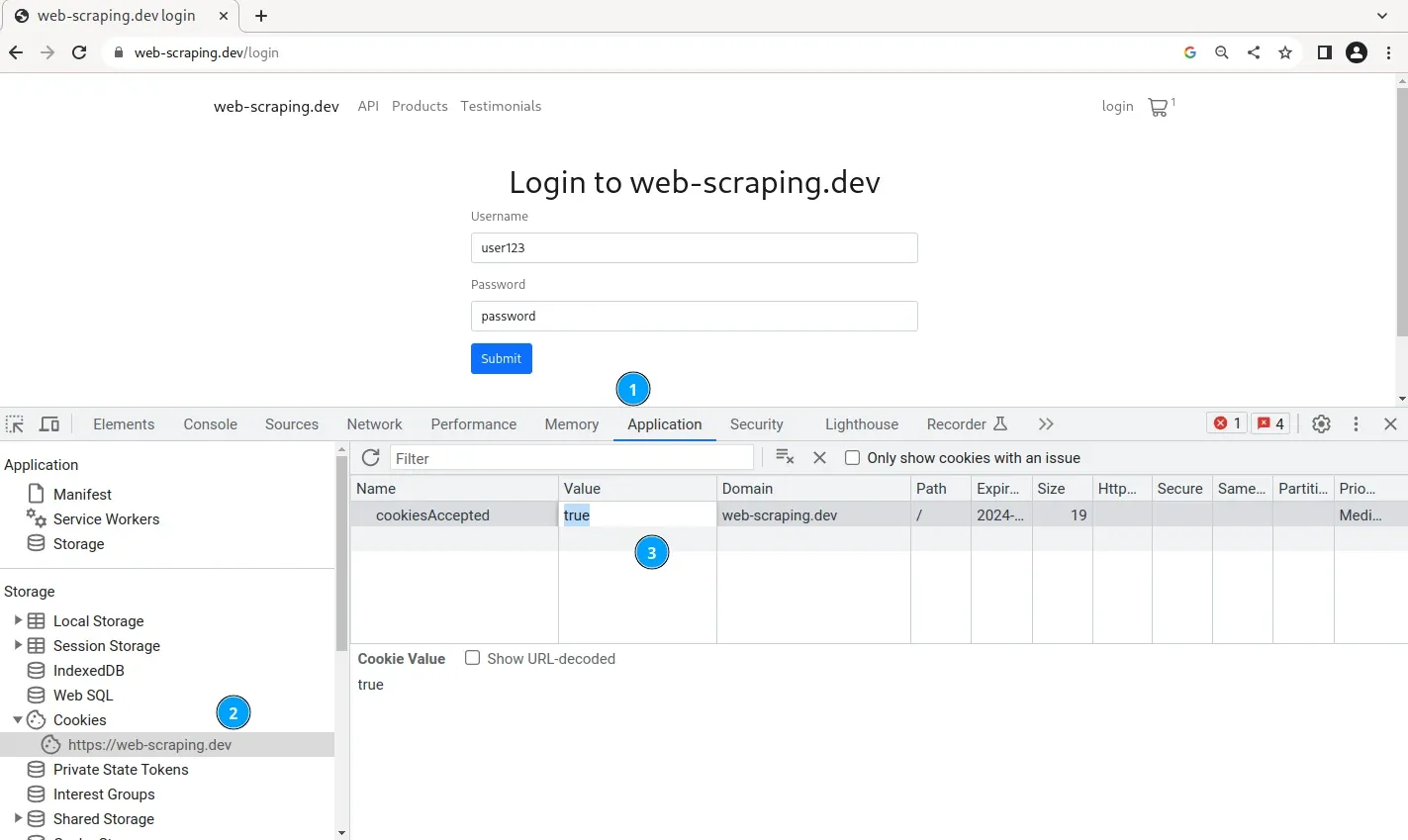
To edit a cookie, click on the cookie name and change its value. Note that this approach only alters local cookies stored in your browser session. This section also allows to delete all cookies which can be useful when testing whether cookies are required for web scraping.